Introduction
Content Web Service is a programming interface based on HTTP. Although the goal is, in the first place, utilizing it from other programs, parts of this interface can also be already utilized using a traditional browser. We introduce this in the Getting information (Firefox) section. The full functionality of the interface can be used only with browser extensions. We introduce this in the "Postman" section. This tool (and similar ones) is well suited for one-off operations, or for testing how the interface works. In this section, we also describe general properties of the interface.
Utilization at programmatic level is illustrated in an example using Linux Shell (or a supplementary program called curl). Integration with standard languages may be viewed under the following links using Java and JavaScript samples.
Java
Some Java libraries which allow you to utilize existing restful Web services and/or to simplify them are available. These include libraries for HTTP communication such as Apache HttpClient or (de)serializing from/to JSON file format, e.g. through Jackson or org.json.
https://www.javacodegeeks.com/2012/09/simple-rest-client-in-java.html
https://www.mkyong.com/webservices/jax-rs/restful-java-client-with-apache-httpclient/
https://www.tutorialspoint.com/json/json_java_example.htm
JavaScript
You can use libraries such as, among others, AngularJS or jQuery here.
https://wiki.selfhtml.org/wiki/JavaScript/XMLHttpRequest
https://docs.angularjs.org/api/ng/service/$http
https://api.jquery.com/jQuery.post/
This introduction demonstrates the use of an actual example of the Content Web service (reading a document).
The interface is based on the REST design principle. A prominent feature of this design is that separate functions are not defined (e.g. Search all documents), but that the focus is on uniform handling of so-called resources. Resources are server objects such as users, groups, archive storages or documents that can be created, read, modified, and deleted. Technical implementation of the interface is performed as a Web service via the HTTP protocol. In it methods are already defined that can be used to not just get content, but also to modify and delete it. The URL (Unified Resource Location) is used to target a specific resource. The document with the reference "abc" can therefore be targeted via a URL like https://archive-server/api/content/docs/abc.
Getting information (Firefox)
Getting information can already be performed via a browser; however, because this is already a programming interface, a clickable interface is not displayed here but only a simple text representation. This is illustrated with the example of Firefox here; however, it also works with other browsers (in IE and Edge, however, the query ends in a file for download and is not directly displayed).
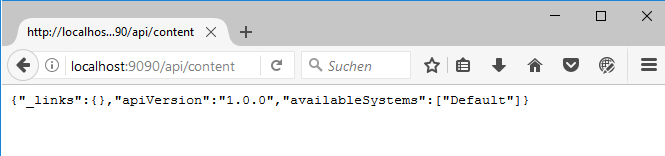
The entry point for the Content Web Service is https://localhost:9090/api/content where, depending on the server's configuration, the protocol may also be https and the port may also differ from 9090. When you enter this address in the browser line, you will only receive the basic information of which API version is being used and the name of the underlying logical system.
A document can be read via the call of a resource using the general format .../api/content/docs/{reference}. You need to make sure that you enter the reference of the document URL-encoded into the browser's address line.
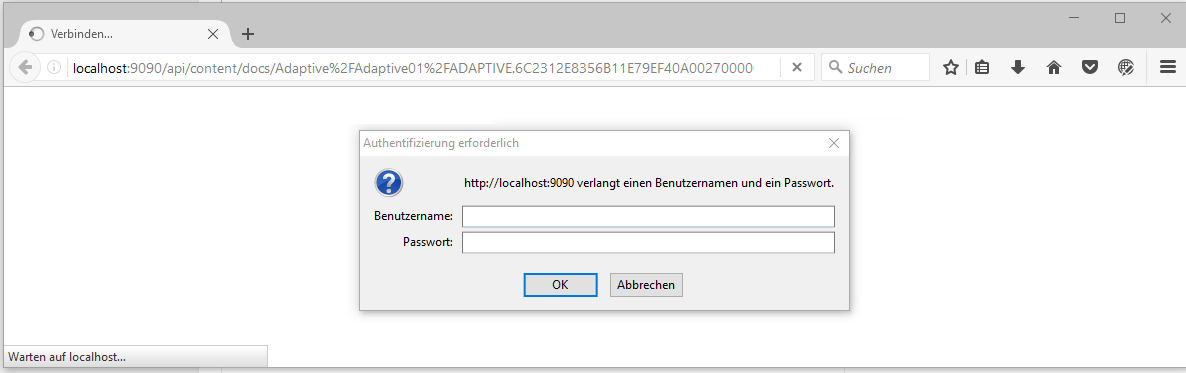
When calling http://localhost:9090/api/content/docs/Y0ESGH8iHSWSH1ASY1OlMKAmMF4lZQOQERV4ARD1DmNkZHH3BQSPZwVjAQp0A0ZjDwN2At2, you will be asked to authenticate yourself first. This is the so-called HTTP base authentication; we will not go into further detail here about how it works. The name and password of an administrator user existing in the easy archive is expected (in an initial installation, this is superadmin).
After successful authentication, a document is displayed in a specific textual representation: JSON format. This is a simple text format which can be used by programs, and is (more or less) directly readable.
For the purpose of better readability, the returned information is displayed here formatted.
{ "_links": { "self": { "rel": "self", "href": "http://localhost:9090/api/content/docs/Y0ESGH8iHSWSH1ASY1OlMKAmMF4lZQOQERV4ARD1DmNkZHH3BQSPZwVjAQp0A0ZjDwN2At2" } }, "createDate": "2017-05-10T12:29:55+0200", "modifyDate": "2017-05-10T13:10:57+0200", "createUsername": "superadmin", "modifyUsername": "superadmin", "version": "0", "id": "Y0ESGH8iHSWSH1ASY1OlMKAmMF4lZQOQERV4ARD1DmNkZHH3BQSPZwVjAQp0A0ZjDwN2At2", "fields": { "DOCUMENT_CLASS": "ADAPTIVE", "Date": "2017-05-10T12:29:32+0200", "InvoiceNumber": "24.12.2016/111", "Total": 318.29, "Paid": false }}Even without knowledge of the exact formats, you can see that properties of the document and a list of fields including their names and content are output. The list as such is defined by the curly brackets enclosing it.
The meaning of the return values is:
Return value | Meaning |
|---|---|
"_links" | |
"createDate" | Document's creation date. |
"modifyDate" | Date of the most recent modification to the document. |
"createUsername" | Name of user who created the document. |
"modifyUsername" | Name of user who last modified the document. |
"version" | Document's version number. |
"id" | The document's fully qualified reference. |
"fields" | A list of fields after the "Field name" pattern: "Field content". |
Document fields allow you to differentiate different data types. Since the data type can sometimes not be gleaned from the simple document representation, there is an advanced query capability by appending the "types=true" query parameter.
Therefore, calling http://localhost:9090/api/content/docs/Y0ESGH8iHSWSH1ASY1OlMKAmMF4lZQOQERV4ARD1DmNkZHH3BQSPZwVjAQp0A0ZjDwN2At2 ?types=true causes the following return:
{ "_links": { "self": { "rel": "self", "href": " http://localhost:9090/api/content/docs/Y0ESGH8iHSWSH1ASY1OlMKAmMF4lZQOQERV4ARD1DmNkZHH3BQSPZwVjAQp0A0ZjDwN2At2?types=true" } }, "createDate": "2017-05-10T12:29:55+0200", "modifyDate": "2017-05-10T13:10:57+0200", "createUsername": "superadmin", "modifyUsername": "superadmin", "version": "0", "id": "Y0ESGH8iHSWSH1ASY1OlMKAmMF4lZQOQERV4ARD1DmNkZHH3BQSPZwVjAQp0A0ZjDwN2At2", "fields": { "DOCUMENT_CLASS": "ADAPTIVE", "Date": "2017-05-10T12:29:32+0200", "InvoiceNumber": "24.12.2016/111", "Total": 318.29, "Paid": false }, "types": { "DOCUMENT_CLASS": "TEXT", "Date": "DATETIME", "InvoiceNumber": "TEXT", "Total": "NUMBER", "Paid": "BOOLEAN" }}The document now contains two lists in addition to the property fields:
List | Description |
|---|---|
"fields" | A list of fields after the "Field name" pattern: "Field content". |
"types" | A list of fields after the "Field name" pattern: "Data type". |